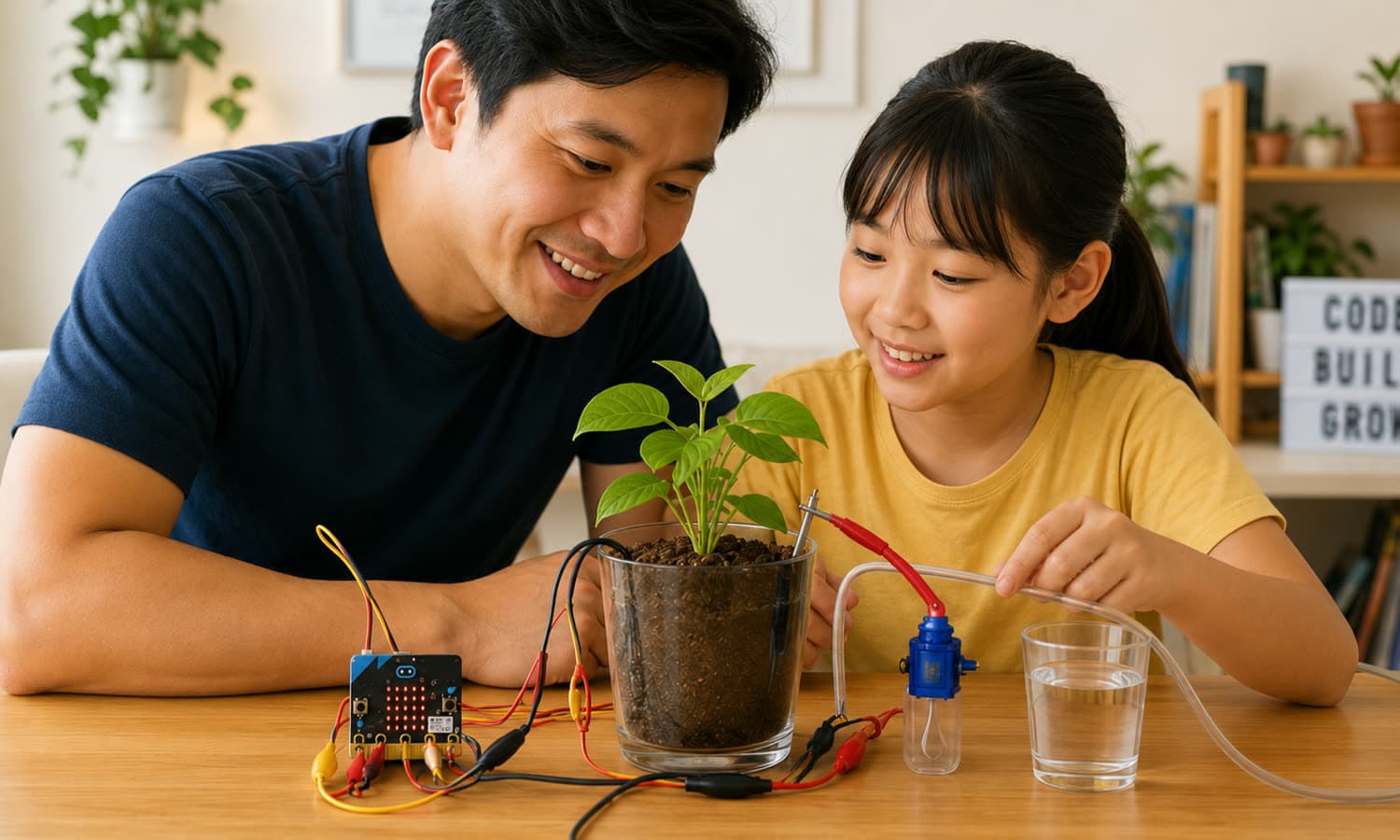
A 3-hour hands-on lab for ages 6–12. Kids build and code a sensor that checks when a plant needs water — the “brain” of a self-watering plant.

In one morning, your child builds a smart plant monitor: a small device that checks the soil and tells you when a plant needs water. It is the same idea behind real smart-farming systems.
Along the way they wire a soil moisture sensor to a micro:bit, code it in MakeCode, and test it on a seedling they pot themselves. To finish, our trainer shows the whole self-watering plant in action — and how they can build it next on Makers Online.
No watching over someone’s shoulder. Every child wires, codes and runs their own micro:bit V2 for the whole session.
Kids code a micro:bit V2 and a soil moisture sensor in MakeCode blocks, read live readings from real soil, and see their code answer back on the board.
Watch your child’s first program light up, learn the basics yourself in a short Parent Primer, then build together in the Parent-Child Build and cheer them on at the Showcase.
Kits stay with us, but the code they write stays on their laptop. They can keep going at home on Makers Online — in the MakeCode simulator, no kit needed — or with a kit of their own.
In the build, each child picks a level on Makers and works through its steps with their grown-up, the same way building at home works. Same hardware, three levels — so a 6-year-old and a 12-year-old both finish with something that works.
Show a happy or sad face for wet or dry soil.
Show a moisture bar graph and play a sound when the soil is dry.
Add the micro:bit’s light or temperature sensor to make a “plant mood” — or both, for kids who want the extra challenge.
Some parts are for everyone, one hour is kids-only, and the build is done together. During the kids-only hour you can join the Parent Primer, or step out and be back by 11:05.
Parents: Stay and watch the first program light up (10:05–10:20), then a hands-on Parent Primer over a drink: the sensor in wet and dry soil, what your child is learning, and how to help without taking over.
Parents: Free time over a drink, and decorate a pot for your child’s seedling. You can step out — please be back by 11:05.
Kits are on loan for the morning, so there’s nothing to buy or bring. Everything below goes home with you.
The herb they potted and tested their monitor on, with a card saying how often it needs water.
Kept on their own laptop, ready to open and change at home.
The coding and hardware ideas from the morning on one page, plus safety tips for building at home.
A printed certificate on the day, and an “IRL Event” badge on their Makers profile.
Credit towards their first month, for families who want to keep building.
A protective case for the micro:bit, free if you buy a kit on the day: Essentials Kit (S$39) or Starter Kit (S$65, with a Makers subscription).
That’s what the morning is for. Your child goes home having already wired a sensor and made it work, and you go home knowing what the next step looks like.
Every family gets Makers Foundations and the first two lessons of The Plant That Waters Itself — the same build, picked up where the morning left off.
The full self-watering plant is the next build on Makers Online, with S$10 off your first month.
More Making Room sessions, farm visits and family meet-ups for the Makers community. You’ll hear about them first.
| 1 adult + 1 child | S$78S$68 |
| Each extra child (own kit and seat) | +S$50 |
Founding family price: this is our first run, so every family who joins it pays S$68 instead of S$78.
Please bring
Places aren’t refundable, but they’re never lost. If you can’t make it, use the link in your confirmation email: until 28 October you can pass your place to a friend who can come, and after that it becomes credit for a future Making Room session (valid for 12 months). If Code Gakko ever has to cancel a session, every family is refunded in full.
None. The morning starts from switching the micro:bit on. Mission levels let younger and older kids go as far as suits them, and older kids who finish early get extension challenges.
Yes, with their grown-up close by. Ages 6 to 8 usually need more help with wiring and reading the screen, which is why every child comes with an adult and the main build is done together.
Please stay for the first and last parts. During the kids-only hour (10:05–11:05) you can join the Parent Primer, decorate your child’s plant pot, or step out — just be back by 11:05 for the build together and stay until 12:30.
Yes. Book them together: each extra child is S$50 and gets their own kit and table space. One adult can look after up to three children.
Yes. Book with the email linked to your Makers account and your child will use their own login on the day, so the code and the badge land on their existing profile.
We set up a free Makers account for you straight away and email the login. Before the day, log in and add your child — it takes a couple of minutes, and it means their work is saved from the first upload.
Kits are on loan for the session. The code stays on your laptop and runs in the MakeCode simulator at home, no kit needed. If they want to keep building with hardware, you can buy an Essentials Kit (S$39) or Starter Kit (S$65) on the day and take it home, with a free 3D-printed protective case for the micro:bit.
Each place is prepared for a particular child — a numbered kit, a printed certificate, a seedling and a seat at a table — and in a room of 15 families there is usually someone waiting for it. So we ask families to book only when they’re sure, and we don’t take cancellations or give refunds. Plans do change, though, so a place is never wasted: pass it to a friend up to 3 days before, or keep it as credit for another session, and we offer the seat to the next family on the waiting list.
Book with the same email address and it comes off the price automatically at checkout. If it covers the whole place, there’s nothing to pay.
There are pastries and drinks. Tell us about any allergies when you book and we’ll plan around them.
Yes, we take photos of the room and the builds. You can tell us when you book if you’d rather your child isn’t in any we share.
Places aren’t refundable, but they’re never lost. If you can’t make it, use the link in your confirmation email: until 28 October you can pass your place to a friend who can come, and after that it becomes credit for a future Making Room session (valid for 12 months). If Code Gakko ever has to cancel a session, every family is refunded in full.
Yes. When a family can’t come and keeps their place as credit, we email the next family on the list and hold the place for them for 24 hours (12 hours in the last three days). If they don’t take it, it goes to the next family.