A maker programme · by Code Gakko

Built for ages 9–14 — Primary 3 to Secondary 2 (Grades 3–8).

Think.
Build.
Solve.

A flood alert for the neighbourhood. A monitor that reminds grandma to drink water. A smart light that reacts to the environment. Students build working prototypes— writing real code, solving real problems, rooted in Singapore’s world.

Younger and older makers welcome too. Our library keeps growing, so there’s something for everyone.

Access starts 27 June 2026 · Kit optional

Access starts27 June 2026
Founding seats50 Only
Founding Member’s PriceS$49/mo (per child) · Year OneCancel anytime.
Code Gakko Makers — think, build, solve.

Built by the team behind Applied Learning Programmes, Interdisciplinary Project Work, and Maker CCAs in 30+ Singapore schools
— trusted by 10,000+ students since 2017.

Singapore kids are great at answers.
The world needs them to ask better questions.

Most Singapore schools run an Applied Learning Programme (ALP) or Interdisciplinary Project Work (IPW) for a reason — the future rewards children who can take a real problem apart, build a response and iterate.

Most kids never get enough of it. They're taught how things work, but not always given the space to figure things out.

As AI takes over more execution tasks, the skills that matter most become more humanframing problems, questioning assumptions, building and testing ideas. Code Gakko develops exactly these. And because AI tools are part of the world our students are growing up in, they’re part of our curriculum too.

Every child deserves the chance to build something real.

Four moves, one programme

Learn. Build. Reflect. Share.

Everything your child needs to take a real problem from idea to working prototype.

01

Learn

A guided lesson path with slides, video walkthroughs, code, and editable handouts. Material that's been taught in real classrooms — not just designed for them.

02

Build

Hands-on with real tools. Each project follows design thinking: empathise → define → ideate → prototype → test. Building a prototype makes thinking visible — when it works (or doesn't), that's information.

03

Reflect

Articulate what was made and why, not just how. Reflection prompts after every build. The part that makes the learning stick.

04

Share

Every completed build saves to a portable portfolio you can publish. Plus offline build-along events — meeting other young makers in your city.

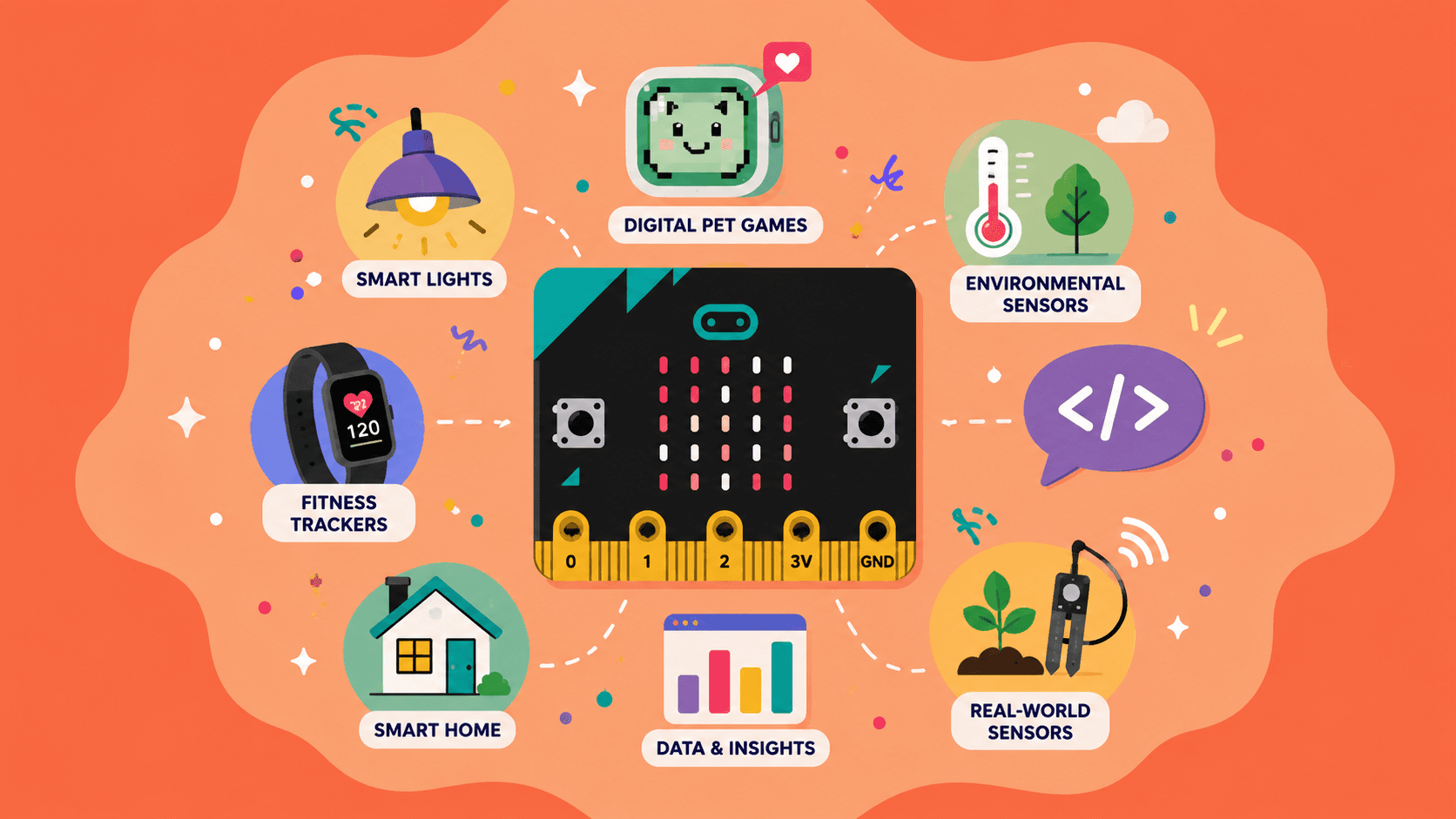
Micro:bit board illustration — smart lights, digital pet games, environmental sensors, fitness trackers and more
We start with Micro:bit — a pocket-sized computer that students can program to interact with the world around them. From smart lights and digital pet games to environmental sensors and fitness trackers, students learn coding by building projects they can see, test, and improve themselves.
The programme grows into: Scratch, Tinkercad, Canva, AI tools, and more — tools can be combined — plus real-world learning journeys exploring ecosystems, food security, sustainable living, and marine biodiversity.
What your child gains

Think. Build. Solve.

The outcomes that build up across every project
— skills, evidence, and something real to show.
Aligned with MOE’s 21st Century Competencies framework.

Think

Skills that transfer

Critical, adaptive and inventive thinking. Design thinking. Computational thinking. The ability to frame a real problem and work toward a solution — skills that apply well beyond any single tool or subject.

Build

Something real to show

A working prototype per build. A full portfolio entry with code, photos, and written reflections. Evidence of actual making and thinking — not just participation.

Solve

Proof they can share

A shareable portfolio URL. A verified PDF with a unique ID your child keeps forever. Something real to bring to schools, DSA panels, competitions — or just to show the family.

For parents

You don’t need to know coding.

See the programme →

Facilitator notes

What's tricky, how much to help — for every lesson.

Discussion prompts

Nudge thinking without giving the answer.

Walkthrough video

So you know what to expect before you sit down.

"Helping without doing"

When to step in, when to step back.

Design thinking primer

The five-step process, explained in plain language.

Plain-English glossary

Every technical term your child will encounter.

A sample of the parent resources included with every build.

For schools + teachers

Running an ALP / IPW / CCA / Makerspace?

Code Gakko Makers works for student groups too — teachers can bulk-add students, manage lessons, and we bill via Vendors@Gov.
We're already in 30+ Singapore schools (10,000+ students built with us since 2017). Tell us what you need.

Get in touch →

Or email info@codegakko.com directly.

Build something real.

Only 50 Founding Member spots.

Access starts 27 June 2026

Reserve your spotQuestions? info@codegakko.com